The Admin Approval Process
Info
As of 2023 most of the user approval is carried out by the Data Team. This process can still be used to approve users if it needs to be done quickly.
Introduction
When new users register for Asset TV they will need to be manually verified as financial professions before they will be allowed to access content on our sites. This ensures that our clients content remains compliant for them, and also allows us to ensure user profiles are as complete as possible before creating the account.
When a user registers
When a new user completes the registration form, rather than receiving instant access they will now see an onscreen message letting them know that they will need to wait for approval:
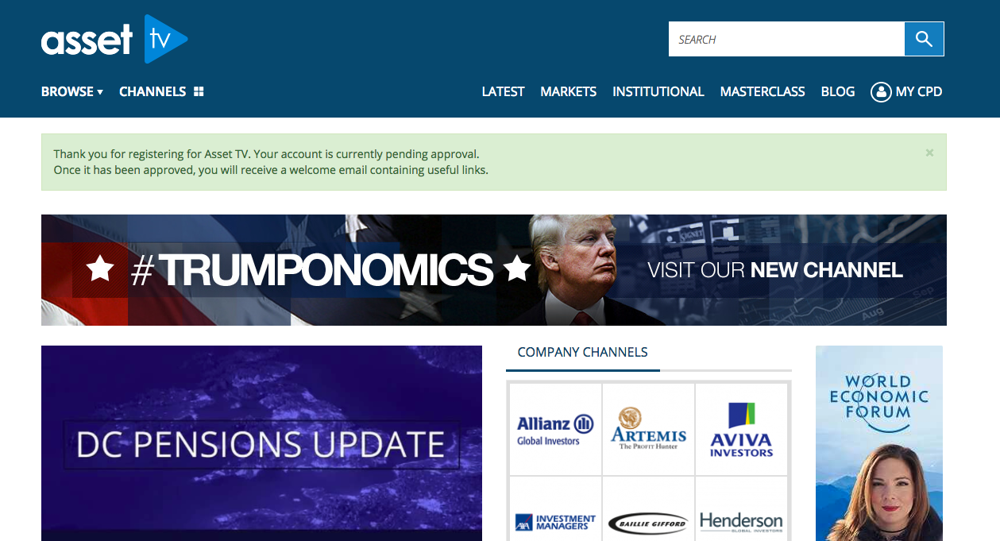
To ensure users aren't waiting an email will be sent to the designated admin users in your team (to receive these emails contact the webteam on the helpdesk to request access). This informs the recipients that a user is awaiting approval and provides a link to the admin approval page in Titan/Hydra.
Info
As the email will cover all domains in Hydra (US/Canada/Hedge TV) and Titan (UK, Europe, Asia) the email will take you to hydra.assettv.com or titan.assettv.com. If you are only logged in at www.assettv.com or www.asset.tv then you will not have the same permissions so won't see options to approve or edit registrants. The quickest solution to this is to change the URL by changing 'hydra' or 'titan' to 'www'. Alternatively you can go to hydra.assettv.com/user / titan.assettv.com/user and login there before clicking on the email link.
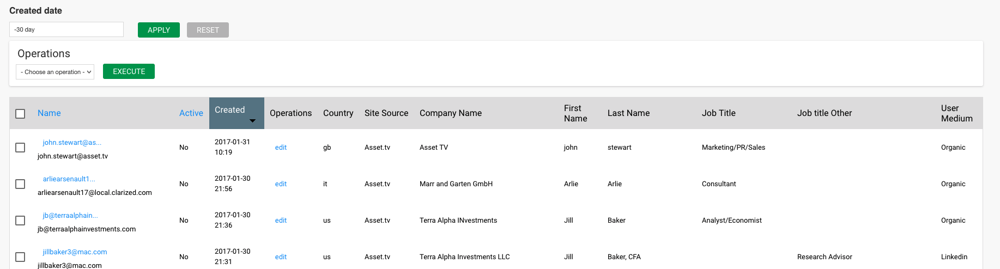
The table shows a list of inactive/blocked users so may include previously blocked accounts. As the table is organised by date the latest people to register will appear at the top of the list. You can check their main details using the table, or click edit to review the full profile, correct any messy entries (i.e. name, surname, company entered without capitalisation) and either approve or block the user based on their financial professional status.
You can use the table to bulk approve accounts. Simply tick those accounts you wish to update and from the dropdown under 'Operations' select 'Unblock selected users'.
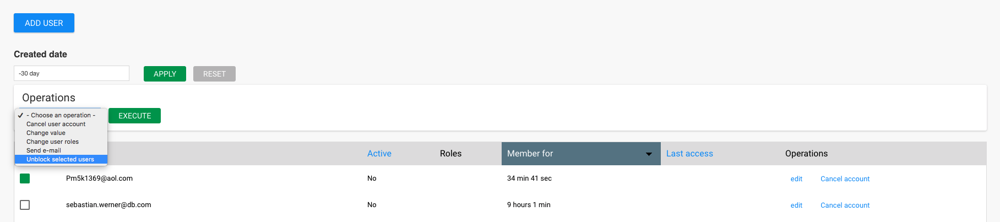
Once the account has been checked and approved the user will receive an email letting them know that they can now access Asset TV content.