How to update the Channel Directories
Introduction
For both UK and US sites we feature certain channels on the homepage using the "Featured Channel Block":

When users click the Channels link we also feature more channels that are categorised further:
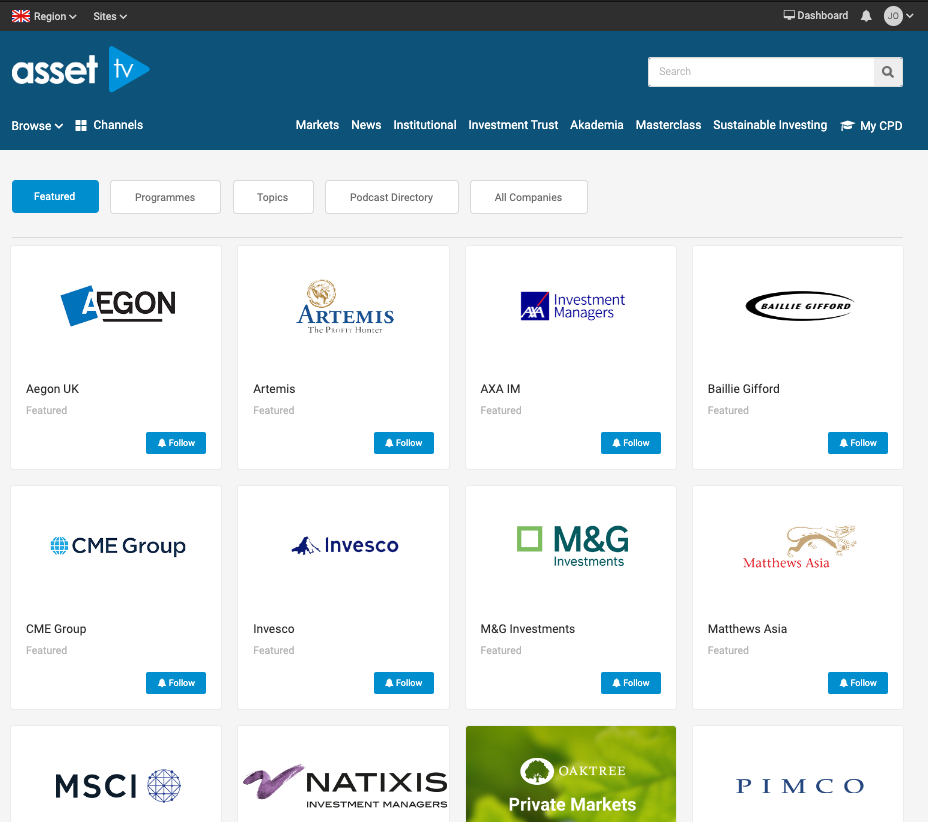
The process to remove, add or change the order of these grids uses the 'nodequeues' feature.
Instructions
-
Navigate to the Nodequeue list by selecting Structure > Nodequeues.
-
Select "View" next to the nodequeue you wish to make changes to - the names are descriptive so it should be easy to see which is which (if in doubt compare the list to what is currently showing on the page/block you wish to update).
-
The queue will display the list of channels already being featured. To add additional channels you can simply start typing the name of the channel and then select from the 'auto-complete' list that will show.
-
To change the order of your nodequeue hover to the left of the channel name. Your cursor will show change to show four arrows in a cross. Click and hold, and you can drag the item to the correct place in your list1.
-
To remove channels simply select 'Delete'.
-
The edit link will take you to the edit form for the Channel record.
-
When you've finished your changes click 'Save' before navigating away from the list to ensure all updates are applied.
Changes to the nodequeue may not show on the site immediately but caches should update within an hour or so and apply.
-
N.B. If you move channels click save before adding or removing other channels as this will refresh the list back to how it was before you changed the order. ↩