Twitter (X)
A Twitter widget displays a twitter feed in the sidebar.
Configuring your widget
Before you can set up this type of widget you need to complete the instructions in the Sidebar guide and select the Element Type as Twitter.
Once you've done that you'll get a few fields which need to be completed.
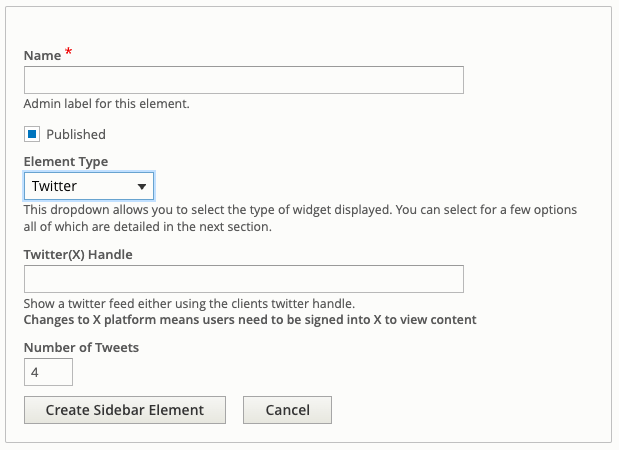
Enter the Twitter(X) handle you'd like to view tweets for.
Select the number of tweets you'd like to show. This is defaulted to 4, but if you need to show more or show less, you can adjust this number.