Top Contributors
The Top Contributor widget shows a list of companies in the sidebar. This list is controlled using the featured item queue labelled Frontpage: Featured Companies Grid.
You can either find the queue and edit it through the admin panel, more information on doing this can be found in the Featured Item Queues guide. Or you can click the little pencil in the corner of the widget and select Edit queue, see image below for the position of this icon.
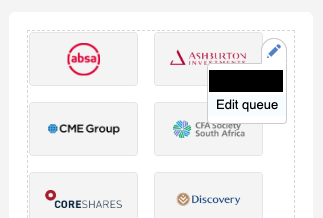
Editable privileges
You must have editable privileges to be able to see the pencil icon in the corner.
Configuring your widget
Before you can set up this type of widget you need to complete the instructions in the Sidebar guide and select the Element Type as Content Listing.
Once you've done that you'll get a few fields which need to be completed.
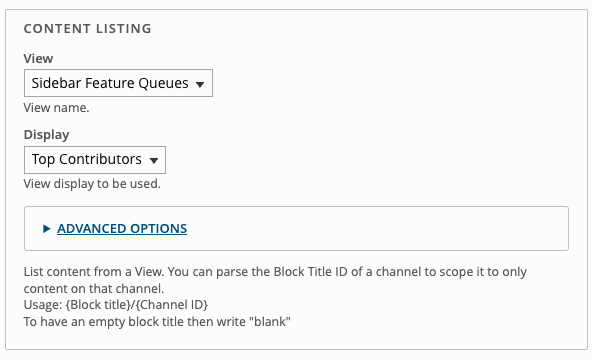
For the dropdown labelled View you need to select Sidebar Feature Queues.
The next field to configure is also a dropdown labelled Display you have to select Top Contributors.
After that the widget is configured, you do not need to change anything in the Advnaced Options.
Now you just Save or Create your widget.