Featured Item Queues
Introduction
Featured Item Queues are used to manage lots of content on the website. They're used for content ranging from Featured videos, Channel grids, or Sidebar widgets.
Editing a queue is quite simple, there are two methods you can use to access the queue you'd like to edit:
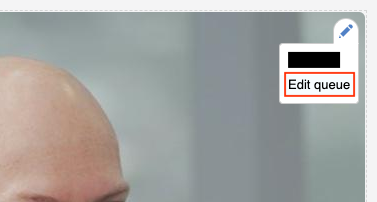
- On the front end, you can click the pencil in the top right corner of object and click
edit queue. Then you can skip to point 3 in the instructions below, or - Find out the name of the queue you want to edit (you can usually find it the documentation), and follow the instructions below starting at point 1.
Instructions
- First go to the Featured Item Queues (
Admin > Content > Featured Item Queues) page. - Then select the queue you'd like to manage and click edit.
- Please DO NOT edit the Queue Label or the Enabled status.
- Editing or Adding an item requires completing the same fields, so either click the button to '
Add new featured item' or 'Edit' an existing item and complete the fields you need. - After completing the relevant fields you need, you can either click '
Create featured item' or 'Update featured item' depending on if you're adding a new item or editing an existing one. - Repeat points 4 and 5 until you've updated the queue.
- Save the featured item queue.
Info
Not all the fields for the editable items are the same, they can vary a bit .