B2B Import Tool
Introduction
On those rare occasions when content needs to be made available on both Titan managed sites (UK, Europe, Asia, South Africa) and Hydra managed sites (US, Canada) a tool has been created so that records don't have to be duplicated from scratch.
The B2B Tool
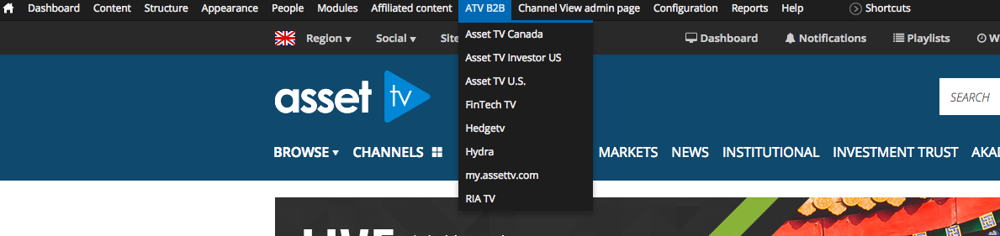
The B2B option is listed in the black admin bar of both Hydra and Titan. When you hover over the option you will see a list of sites managed from 'the other' platform.
Hydra's B2B tool lists the Titan managed sites.
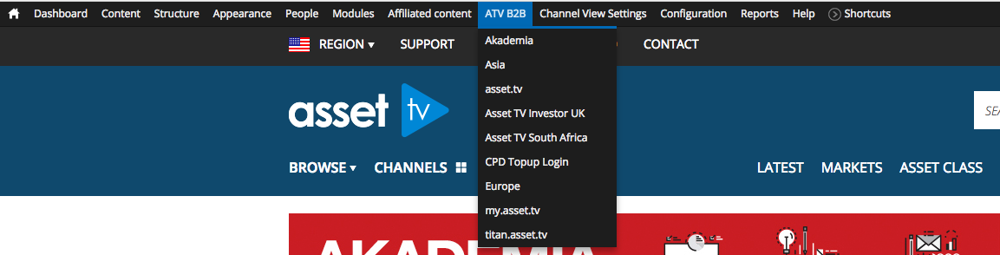
Titan's B2B tool lists the Hydra managed sites.
Using the B2B Tool
Warning
Once imported a video will no longer be presented on the B2B tool! If you can't find a specific video check it doesn't already exist in your system.
If we wanted to add a U.S. video to the UK site, in Titan we would select Asset TV U.S. from the B2B menu.
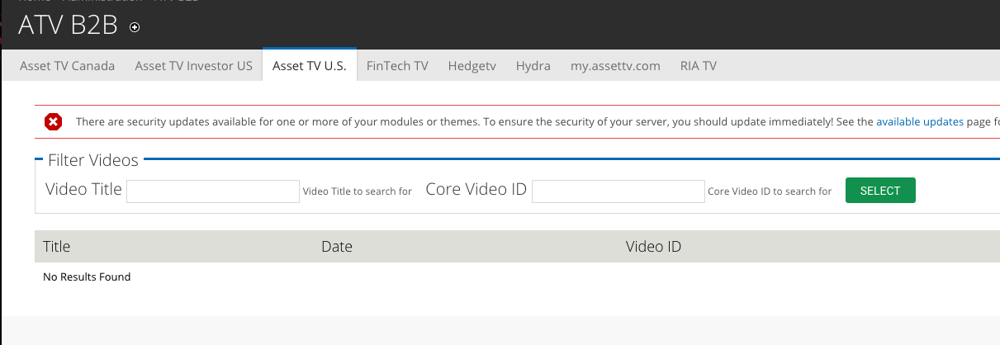
This takes us to a search page where we can locate the media via the title, or if we've liaised with a member of the US team the Video ID.
After locating our media we can select the add option in the import column of the list.
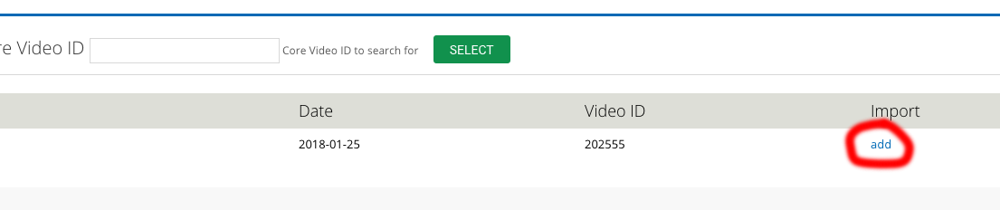
This will present a mostly completed video record for us to save. We can make changes that will not impact the U.S. version, so if we wanted an alternative title we can do this while leaving the U.S. version as it is.
Please Read
Please note that due to some differences between the two systems the below will need to be checked and set where relevant.
- Domains published to - none will be selected to begin with so you will need to tick the sites where you want the video added.
- Primary Channel - needs to be selected from your system's list of channels. You will not be able to save the record until this is checked.
- Vocabularies/Tags - This will bring in tags that have been applied from the original system. If they do not exist in the current system then saving the form will create them on Titan, but may need to be add on Hydra. They should be checked to make sure they are appropriate for the region before saving!