Adding to a Taxonomy
Taxonomies are used to organise content on our website(s). For more information on the different taxonomies we have, take a look at the taxonomy information page.
Creating a Taxonomy Item
Please note you cannot create a taxonomy itself, only the items in a taxonomy. Taxonomies are setup and configured by the web team and you should already have those you need when a website goes live.
Taxonomy Directory
You can manage the items in a taxonomy by to the Taxonomies section (Admin > Structure > Taxonomy).
When on this page you'll see a list of Taxonomies you can add to.

Choose the one you need to add an item to and click List terms, this'll load a list of all the items in that taxonomy. Using this list you edit an existing one, or click Add terms to add a new one.
Once you've completed the details you need (look at the taxonomy explanation guide for more information on what to complete) you can save the item and it'll be added to the list.
Using this method also allows you to see all the items in a Taxonomy to help avoid duplicating them un-necessarily.
Inline
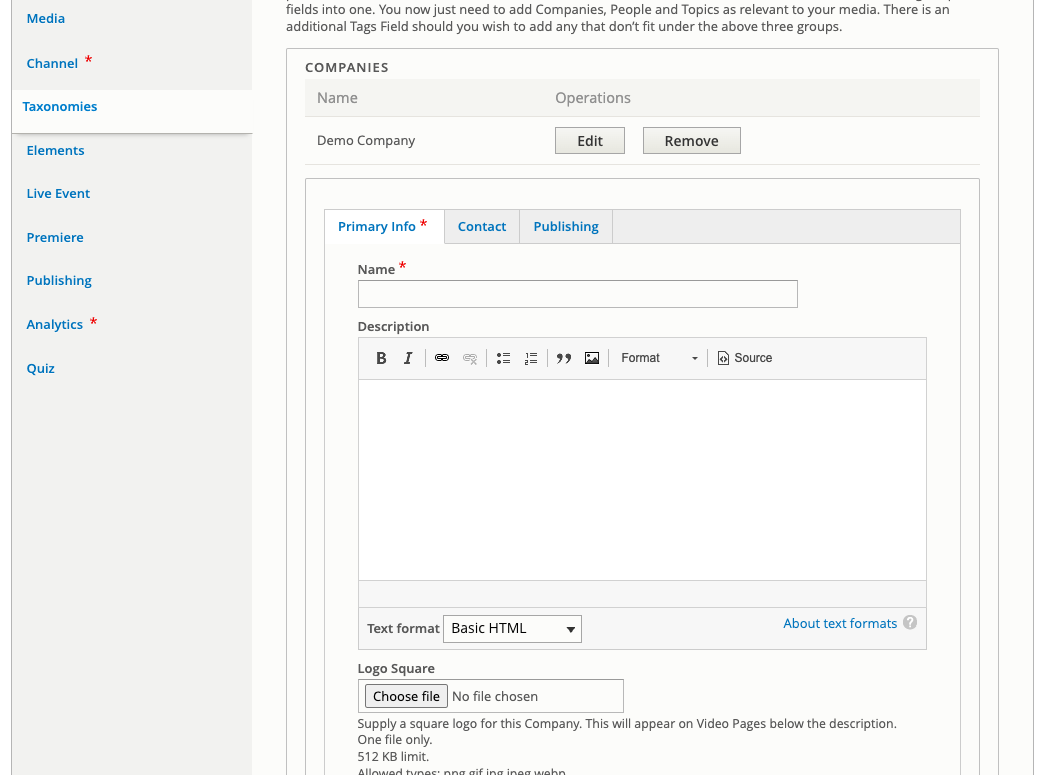
Another way to create a taxonomy item is inline. By this we mean when you're adding it to a Video for example. When configuring taxonomies for a video, you have the option of selecting one that has already been created, or creating a new one.
If you select create a new one, then you'll be shown the same form as mentioned above, but just inline to the video you're creating it in.
Do not duplicate
It can be very easy to create a new taxonomy entry each time you need to add one to video. Please make sure you check one hasn't already been created by trying to add it first, otherwise you might find content doesn't always show where you need it to.